Why Cant I Connect My Phone to My Car With Bluetooth
Why Cant I Connect My Phone to My Car With Bluetooth is one of the most common tech frustrations drivers face daily. This guide covers the real reasons behind failed Bluetooth pairing, step-by-step Bluetooth troubleshooting methods, and expert tips to keep your car audio system running smoothly. Whether you use Android Auto, Apple CarPlay, or basic hands-free calling, you will find practical solutions here.
Key Takeaways
- Restart both devices: A simple restart fixes the majority of Bluetooth connection issues.
- Check Bluetooth settings: Make sure Bluetooth is on, visible, and not already paired to another device.
- Update firmware and software: Outdated car infotainment software or phone OS can cause pairing failures.
- Clear old paired devices: Too many saved devices can interfere with new Bluetooth pairing.
- Watch for signal interference: Other wireless devices and physical barriers can weaken your Bluetooth range.
- Seek professional help: If all else fails, a dealer or technician can diagnose hardware problems.
📑 Table of Contents
- Why Cant I Connect My Phone to My Car With Bluetooth
- Common Reasons Your Phone Wont Connect to Your Car
- How to Fix Bluetooth Pairing Problems Step by Step
- Bluetooth Compatibility Issues Between Phone and Car
- When the Problem Is with Your Cars Infotainment System
- Tips to Keep Your Bluetooth Connection Stable
- When to Seek Professional Help
- Conclusion
Why Cant I Connect My Phone to My Car With Bluetooth
You are standing next to your car. You grab your phone. You press Bluetooth. And nothing happens. It is one of those small moments that can ruin your morning routine. You just want to play music or take a call hands-free, but your car audio system refuses to cooperate. If you have ever wondered why cant I connect my phone to my car with Bluetooth, you are not alone. Millions of drivers deal with this problem every single day.
The good news is that most Bluetooth issues are easy to fix. You do not need to be a tech expert. You just need the right guidance. In this article, we will walk you through every possible reason your phone might not connect to your car. We will also give you clear, actionable steps to solve the problem fast. Let us dive in.
Common Reasons Your Phone Wont Connect to Your Car
Before you start troubleshooting, it helps to understand what might be causing the issue. Bluetooth pairing problems usually come down to a few common culprits. Here are the top reasons your phone and car might not be getting along.
Bluetooth Is Turned Off or Not Visible
This sounds obvious, but it happens more than you think. Sometimes Bluetooth gets switched off accidentally. Other times, your phone is not set to be discoverable. If your car infotainment system cannot see your phone, it cannot pair with it. Always double-check that Bluetooth is enabled on both devices.
Too Many Paired Devices
Your phone remembers every device it has ever connected to. Over time, this list grows. A crowded paired devices list can slow things down. It can also cause conflicts during Bluetooth pairing. Your phone might try to connect to an old device instead of your car. Clearing unused connections can help a lot.
Software Is Outdated
Both your phone and your car need up-to-date software. An outdated car infotainment system may not support newer Bluetooth versions. Similarly, an old phone operating system can cause Bluetooth compatibility issues. Keeping both devices updated is one of the easiest ways to prevent problems.
Signal Interference
Bluetooth range is limited. It works best within about 30 feet. Other wireless devices can interfere with the signal. Microwaves, Wi-Fi routers, and even USB cables can create signal interference. Physical barriers like metal car roofs can also weaken the connection. Understanding these limits helps you troubleshoot smarter.
Cache and Memory Issues
Your phone stores temporary data for Bluetooth connections. Over time, this cache can become corrupted. A full device memory can also slow down pairing. Clearing the Bluetooth cache is a simple fix that many people overlook. It frees up space and removes old connection data that might be causing conflicts.
How to Fix Bluetooth Pairing Problems Step by Step
Now that you know the common causes, let us fix them. Follow these steps in order. Most people solve their Bluetooth connection issues within the first few steps.
Step 1: Turn Bluetooth Off and On Again
This is the simplest fix, and it works more often than you would think. Go to your phone settings. Toggle Bluetooth off. Wait 10 seconds. Toggle it back on. Do the same with your car if possible. This refreshes the connection and clears minor glitches. Many Bluetooth troubleshooting experts call this the “turn it off and on again” method, and for good reason.
Step 2: Delete the Old Pairing
Go to your Bluetooth settings on your phone. Find your car in the list of paired devices. Tap “Forget” or “Delete.” Do the same on your car’s system. Now start fresh. Put your car in pairing mode. Search for new devices on your phone. Select your car and enter the PIN if prompted. A clean slate often solves stubborn pairing problems.
Step 3: Restart Both Devices
A full restart works wonders. Power off your phone completely. Turn off your car and wait 30 seconds. Start the car again. Turn your phone back on. Try Bluetooth pairing again. This clears temporary software bugs and resets wireless modules. It is one of the most effective Bluetooth troubleshooting steps available.
Step 4: Check for Software Updates
Go to your phone settings and check for system updates. Do the same for your car if it supports over-the-air updates. New updates often fix Bluetooth compatibility issues. They also improve wireless streaming quality. Keeping everything current is essential for smooth hands-free calling and music playback.
Step 5: Clear Bluetooth Cache (Android Users)
Android users have an extra tool. Go to Settings > Apps > Bluetooth > Storage. Tap “Clear Cache.” This removes corrupted temporary files without deleting your data. After clearing the cache, restart your phone and try pairing again. iPhone users do not have this option, but restarting the phone achieves a similar result.
Step 6: Reset Network Settings
If nothing else works, reset your network settings. This clears all Wi-Fi, Bluetooth, and cellular connections. You will need to reconnect to your Wi-Fi network afterward. But it can fix deep-rooted Bluetooth connection issues that nothing else touches. Use this as a last resort before seeking professional help.
Bluetooth Compatibility Issues Between Phone and Car
Not all phones and cars play nicely together. Bluetooth compatibility depends on several factors. Understanding these factors helps you avoid frustration in the future.
Bluetooth Versions Matter
Bluetooth versions have improved a lot over the years. Bluetooth 4.0 and newer offer better range and lower power use. If your car has an older Bluetooth version and your phone is very new, they might not communicate well. Check the Bluetooth version of both devices if possible. Newer is almost always better for wireless streaming and stable connections.
Apple CarPlay and Android Auto
Many modern cars support Apple CarPlay or Android Auto. These systems go beyond basic Bluetooth pairing. They mirror your phone screen on the car display. But they also add another layer where things can go wrong. Make sure your phone is compatible with your car’s system. Update the app on your phone regularly. A slow or outdated car infotainment system can cause connection drops even when basic Bluetooth works fine.
Phone Model and Age
Older phones sometimes lack the hardware needed for modern Bluetooth connections. If your phone is more than five years old, it might struggle with newer cars. Consider whether your device memory is full. A phone running low on storage often has trouble maintaining stable Bluetooth pairing. Upgrading your phone or using a USB cable as a backup can help in these cases.
Car Make and Model Limitations
Some car brands have known Bluetooth connection issues with certain phone models. For example, some BMW and Ford models have had compatibility issues with specific Android phones. Check online forums for your specific car model. You might find that other owners have already solved the same problem. This is a great shortcut when you are stuck.
When the Problem Is with Your Cars Infotainment System
Sometimes the issue is not your phone at all. Your car infotainment system might be the source of the problem. Here is how to tell.
Signs Your Car System Is the Culprit
Does your phone connect to other Bluetooth devices just fine? Then the phone is probably not the issue. Does your car connect to other phones without problems? Then your phone is probably fine. If both of these are true, the problem lives inside your car’s system. Bluetooth troubleshooting needs to focus on the car in this case.
Factory Reset the Infotainment System
Some cars allow you to factory reset the infotainment system. This wipes all settings and restores defaults. Check your car’s manual for instructions. The process varies by make and model. A factory reset can fix deep software bugs that cause persistent Bluetooth pairing problems. Just remember that you will need to set up your radio presets and navigation again afterward.
Firmware Updates for Your Car
Cars need updates too. Many new vehicles receive firmware updates through USB or Wi-Fi. These updates fix bugs and add new features. An outdated car infotainment system can cause all sorts of Bluetooth connection issues. Visit your dealer or check the manufacturer’s website for available updates. Keeping your car software current is just as important as updating your phone.
Hardware Failure in the Car
In rare cases, the Bluetooth module inside your car is physically damaged. This can happen from water exposure, electrical surges, or general wear and tear. If you have tried every software fix and nothing works, a hardware problem is possible. A dealer or qualified mechanic can test the Bluetooth module. Replacement costs vary but are usually manageable.
Tips to Keep Your Bluetooth Connection Stable
Once you get your Bluetooth pairing working, you want to keep it that way. A few simple habits can prevent future problems.
- Keep both devices updated. Regular updates fix bugs and improve Bluetooth compatibility.
- Limit the number of paired devices. Only keep devices you actively use on your paired devices list.
- Clear the Bluetooth cache regularly. This prevents corrupted data from building up on your phone.
- Park in a clear spot. Avoid parking near tall buildings or thick trees that can block Bluetooth range.
- Turn off unused wireless devices. Other Bluetooth devices, Wi-Fi hotspots, and even USB cables can cause signal interference.
- Restart your phone weekly. A regular restart clears temporary files and keeps everything running smoothly.
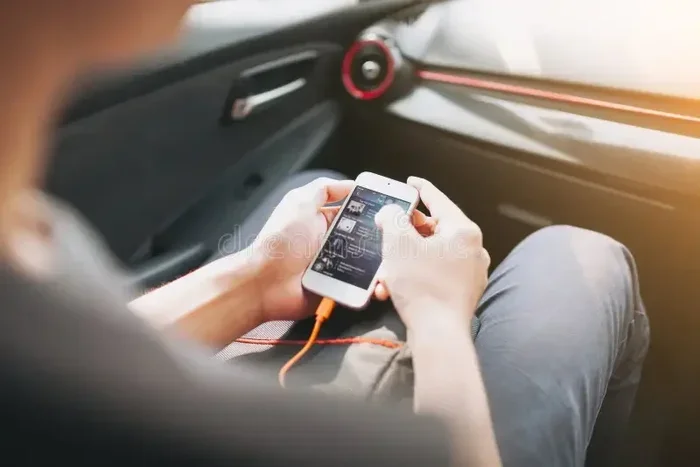
- Use a USB cable as a backup. Many cars support USB connections for music and charging. This is a reliable fallback when wireless streaming fails.
Quick Tips for Faster Bluetooth Pairing
Want to make Bluetooth pairing faster and more reliable? Try these quick tips. First, always put your car in pairing mode before looking at your phone. Second, keep your phone within arm’s reach of the car during pairing. Third, disable VPN apps on your phone before connecting. Fourth, turn off other Bluetooth devices nearby. These small steps make a big difference in Bluetooth troubleshooting success.
When to Seek Professional Help
Most Bluetooth connection issues are fixable at home. But sometimes you need expert help. If you have tried every step in this guide and still cannot connect, it is time to see a professional. A dealer can run diagnostic tests on your car’s infotainment system. A phone repair shop can check your device’s Bluetooth hardware. Do not waste hours guessing when a professional can give you a clear answer.
Also seek help if you notice physical damage. If your car’s Bluetooth stopped working right after an accident or a liquid spill, hardware damage is likely. If your phone gets unusually hot when trying to Bluetooth pair, there may be a deeper issue with the device. Trust your instincts. If something feels wrong, get it checked out.
Conclusion
Dealing with why cant I connect my phone to my car with Bluetooth is frustrating. But the vast majority of the time, the fix is simpler than you think. Start with the basics. Restart both devices. Delete old pairings. Check for updates. Clear your cache. These steps solve most Bluetooth pairing problems quickly and easily. If the issue persists, dig deeper into compatibility and hardware concerns. And remember, prevention is the best medicine. Keep your devices updated, limit paired devices, and treat your Bluetooth connection with a little care. Soon enough, seamless hands-free calling and crystal-clear wireless streaming will be part of your daily drive again.
Do not let a simple Bluetooth connection issue ruin your day. Use the tips in this guide, and you will be back on the road with your favorite music and calls flowing through your car audio system in no time.
Frequently Asked Questions
Why does my phone keep disconnecting from my car Bluetooth?
Frequent disconnections usually happen due to signal interference, outdated software, or a crowded paired devices list. Try clearing your Bluetooth cache, updating both devices, and moving closer to the car during use. If the problem continues, a factory reset of your car’s infotainment system may help.
Can too many paired Bluetooth devices cause connection issues?
Yes, absolutely. A long paired devices list can slow down Bluetooth pairing and cause conflicts. Your phone may try to connect to an old device instead of your car. Deleting unused devices frees up memory and improves connection stability.
Does Bluetooth version matter for car connections?
It does. Newer Bluetooth versions offer better range, faster data transfer, and lower power use. If your car has an older Bluetooth module and your phone is very new, they may not communicate well. Check both devices for their Bluetooth version and consider updating your car firmware if possible.
Is it safe to reset network settings on my phone?
Yes, it is completely safe. Resetting network settings clears all Wi-Fi, Bluetooth, and cellular connections. You will need to reconnect to your Wi-Fi network afterward. But it can fix deep-rooted Bluetooth connection issues that other methods cannot resolve.
Why does my phone connect to Bluetooth but not play audio through my car?
This usually means the Bluetooth pairing worked but the audio profile is not set correctly. Check that media audio is enabled in your Bluetooth settings. Also make sure your car is set to the correct input source. Sometimes restarting both devices fixes this audio routing issue quickly.
Can a USB cable be a good alternative to Bluetooth in my car?
Yes, a USB connection is a reliable backup. Many cars support USB for music playback, charging, and even Android Auto or Apple CarPlay. If your wireless streaming keeps failing, plugging in a cable gives you a stable connection while you troubleshoot the Bluetooth problem.