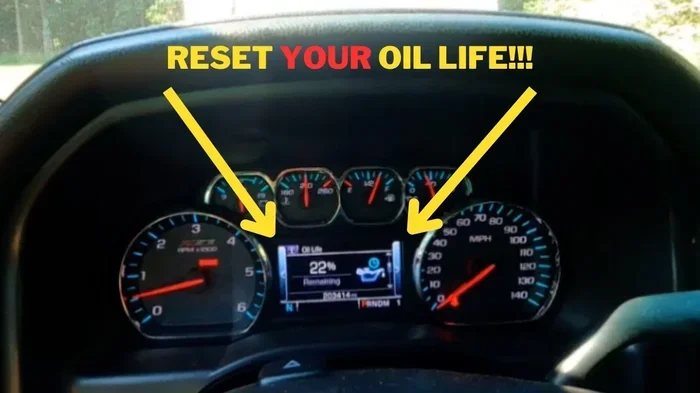
How Do I Reset My Oil Life Manually Step By Step Guide
Resetting your oil life manually is a simple maintenance task that keeps your engine running smoothly and your dashboard warnings at bay. Whether you just changed your oil or want to understand how the system works, this guide walks you through every step. You will learn the reset process, common mistakes to avoid, and expert tips to stay on top of your oil life indicator without visiting a mechanic.
Key Takeaways
- Manual Reset Is Easy: Most vehicles let you reset the oil life system in under two minutes with simple button presses on the dashboard or steering wheel.
- Know Your Vehicle: Different car brands use different reset procedures, so always check your owner’s manual first.
- Timing Matters: Reset the oil life only after you have completed the oil change and installed a new filter.
- Avoid Common Mistakes: Skipping the reset or resetting before the oil change can cause confusion and missed maintenance.
- Regular Maintenance Pays Off: Staying on top of your oil life monitor helps extend engine life and prevents costly repairs.
- Oil Type Affects Intervals: Using synthetic oil may change how often you need to reset the system compared to conventional oil.
- When In Doubt, Ask A Pro: If the reset does not work or the light stays on, a dealership or mechanic can help diagnose the issue.
📑 Table of Contents
- How Do I Reset My Oil Life Manually
- What Is An Oil Life Indicator And Why Does It Matter
- Step By Step Guide To Resetting Your Oil Life Manually
- Why You Should Reset Your Oil Life After Every Change
- Common Mistakes People Make When Resetting Oil Life
- How Different Vehicle Brands Handle Oil Life Reset
- Expert Tips For Maintaining Your Oil Life System
- When To Seek Professional Help With Your Oil Life System
- Final Thoughts On Manually Resetting Your Oil Life
How Do I Reset My Oil Life Manually
Your car talks to you. One of the most important ways it does that is through the oil life indicator on your dashboard. That little light or percentage number keeps track of when your engine oil is due for a change. But what happens after you get the oil changed? You need to reset it. And that is where many car owners get stuck.
Resetting your oil life manually is not hard. In fact, most people can do it in under two minutes. This guide gives you a clear, step-by-step walkthrough for resetting your oil life system the right way. We will cover different vehicle types, common mistakes, and expert tips to keep your engine healthy. Whether you drive a Toyota, Honda, Ford, or anything in between, you will find useful information here.
Keeping up with your maintenance schedule is one of the best things you can do for your car. A simple reset after an oil change ensures your system tracks the next service correctly. Let us dive into everything you need to know about manually resetting your oil life indicator.
What Is An Oil Life Indicator And Why Does It Matter
Before you reset anything, it helps to understand what the oil life monitor actually does. Unlike a simple mileage counter, the oil life system tracks multiple factors. These include engine temperature, driving conditions, idle time, and oil quality. Based on all of this data, the system estimates when your oil needs replacing.
Here is why this matters. Old or degraded oil causes friction inside your engine. That friction leads to heat, wear, and eventually expensive damage. The oil life indicator acts as your early warning system. When it says it is time for a change, your engine is telling you to take action.
How The Oil Life System Works
Most modern vehicles use an algorithm to calculate oil life. The system starts at 100% when you get fresh oil. As you drive, it counts down based on driving patterns and conditions. When it reaches around 15%, you should schedule an oil change. Once the oil is replaced, you must manually tell the system to start over. That is the reset process we cover in this article.
Some cars also track the oil life percentage in real time on the dashboard. Others use a simple “CHANGE OIL” message. Either way, the goal is the same. Keep your engine lubricated and protected with fresh oil at the right intervals.
Step By Step Guide To Resetting Your Oil Life Manually
Now for the part you came here for. The exact steps vary by vehicle brand and model, but the general process is similar across most cars. Below you will find the most common methods. Always refer to your owner’s manual if you are unsure about your specific vehicle.
Method 1: The Dashboard Button Method
This is the most common approach for many Toyota, Honda, and Ford models. Here is how to do it:
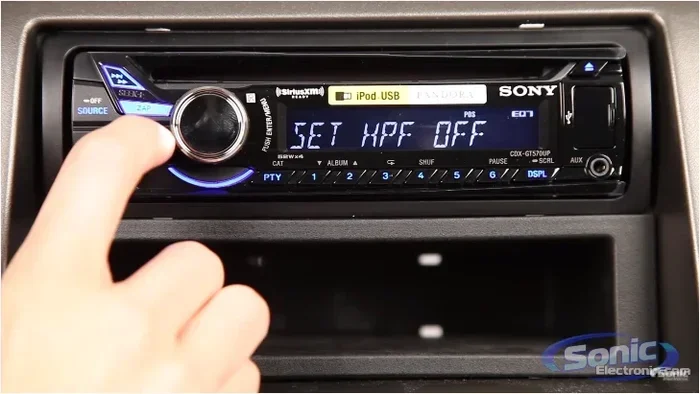
- Turn the ignition to the “ON” position without starting the engine.
- Press the trip odometer button until you see the oil life indicator or a maintenance menu.
- Hold the reset button (often labeled “RESET” or “TRIP”) for about 10 to 15 seconds.
- The display should flash or show “RESET” to confirm the process.
- Turn the ignition off and then back on to verify the oil life has reset to 100%.
That is it. In less than two minutes, your oil life monitor is back to zero. The maintenance light should also turn off if it was illuminated.
Method 2: The Steering Wheel Controls
Some newer vehicles, especially luxury brands and EVs, use steering wheel controls for reset functions. The process usually looks like this:
- Press the steering wheel menu button to access the vehicle information screen.
- Navigate to the “Vehicle Info” or “Maintenance” menu.
- Select “Oil Life Reset” or “Service Interval Reset.”
- Hold the OK or confirm button until the system resets.
This method works well for vehicles with digital displays. If you are not sure where to find this menu, check the owner’s manual or search online for your specific model.
Method 3: The Oil Life Button Method
A few vehicles have a dedicated oil life reset button. This is often located near the steering column, on the left side of the dashboard, or under the hood near the oil fill cap. The procedure is straightforward:
- Turn the key to the “ON” position.
- Press and hold the dedicated oil life reset button.
- Wait for the display to show the reset confirmation.
- Release the button and turn the key off.
- Start the engine to confirm the reset was successful.
If your vehicle has this button, the process is the easiest of all. Just make sure you complete the oil change first. You can learn more about adding oil without changing it if you are unsure whether a full oil change is needed.
Why You Should Reset Your Oil Life After Every Change
Some car owners skip the reset step. They change the oil, walk away, and forget about it. This is a mistake. If you do not reset the system, the oil life indicator will keep counting down from the old reading. Your dashboard will eventually remind you to change the oil again, even though you just did it. This creates confusion and can lead to missed or premature service.
Here is another reason the reset matters. Many modern vehicles use the oil life system to determine when other maintenance items are due. The system may trigger reminders for tire rotation, brake inspection, or fluid checks. If the oil life is not reset, the entire maintenance schedule can get thrown off.
Resetting also helps you track your oil change frequency accurately. Over time, you build a pattern of service that keeps your vehicle running at its best. Think of the reset as closing one maintenance chapter and opening the next.
What Happens If You Never Reset
If you ignore the reset, several things can happen. The maintenance light stays on, which can be annoying and distracting. More importantly, you may start ignoring genuine oil change reminders because the system has lost accuracy. Over time, this can lead to driving on old oil, which harms your engine.
Some vehicles also display a persistent “SERVICE REQUIRED” message. This can be hard to ignore and may affect your confidence in the car’s systems. A quick reset solves all of these problems instantly.
Common Mistakes People Make When Resetting Oil Life
Even though the reset process is simple, people still make errors. Here are the most common mistakes and how to avoid them.
Mistake 1: Resetting Before the Oil Change
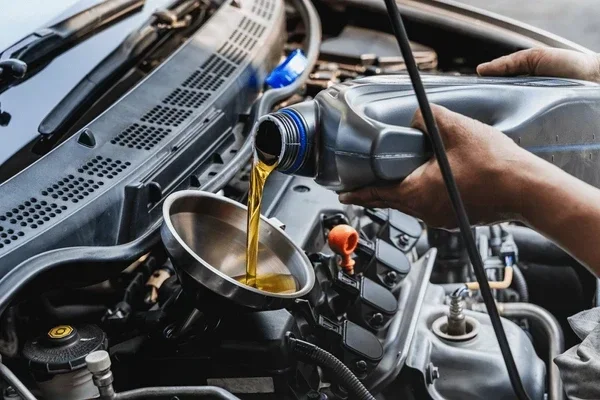
This is the number one mistake. Some people reset the system before they actually change the oil. This tricks the system into thinking fresh oil is in the engine when it is not. Always complete the oil change and install a new filter first. Then do the reset.
Mistake 2: Not Checking The Oil Level After Reset
After you reset the system, take a moment to check the actual oil level with the dipstick. The oil life monitor tracks time and driving conditions, not the physical oil level. If the oil is low, the reset will not fix that problem. You may also want to read about whether you can add oil without changing it for more guidance.
Mistake 3: Using The Wrong Reset Procedure
Every vehicle brand has its own reset sequence. Using the wrong steps can sometimes trigger other menus or settings. If you are unsure, search online for “reset oil life [your vehicle model]” or consult the owner’s manual. When in doubt, a quick visit to the dealership can also help.
Mistake 4: Ignoring Persistent Warnings
If you reset the oil life and the warning light comes back immediately, something may be wrong. This could indicate a sensor issue, low oil pressure, or a deeper engine problem. Do not keep resetting and ignoring the light. Have a professional check it out.
How Different Vehicle Brands Handle Oil Life Reset
Not all cars reset the same way. Here is a quick comparison of how some popular brands handle the process. This table gives you a general idea, but always confirm with your owner’s manual.
| Brand | Typical Reset Method | Difficulty Level |
|---|---|---|
| Toyota | Trip meter + reset button | Easy |
| Honda | Trip display + reset stalk | Easy |
| Ford | Steering wheel controls or trip button | Easy to Medium |
| Chevrolet | Driver information center menu | Medium |
| BMW | iDrive system menu | Medium |
| Mercedes-Benz | Instrument cluster menu | Medium |
| Jeep | Steering wheel buttons | Easy |
If your brand is not on this list, search for a model-specific guide. The process is almost always straightforward once you know the right steps. Also, keep in mind that the type of oil you use matters. If you are considering switching to synthetic oil, check out this article on putting synthetic oil in your car to understand the benefits and compatibility.
Expert Tips For Maintaining Your Oil Life System
Resetting the oil life is just one piece of the puzzle. Here are some expert tips to keep your entire oil maintenance routine running smoothly.
1. Keep A Maintenance Log
Write down every oil change date, mileage, and oil type used. This log helps you track patterns and stay ahead of your next service. It also comes in handy when selling your car or visiting a new mechanic.
2. Use The Right Oil For Your Engine
Not all engines need the same oil. Check your owner’s manual for the recommended oil viscosity and type. Using the wrong oil can reduce engine performance and throw off the oil life system calculations.
3. Replace The Oil Filter Every Time
Always install a new oil filter with every oil change. A clean filter keeps contaminants out of your engine and helps the oil last longer. You can learn more about filter replacement in our guide on whether you need a new filter with every oil change.
4. Do Not Ignore Other Dashboard Warnings
The oil life indicator is just one of many dashboard warnings. If you see other lights like the check engine light or oil pressure warning, address them immediately. Ignoring multiple warnings can lead to serious engine damage.
5. Consider Your Driving Conditions
Stop-and-go traffic, extreme temperatures, and heavy towing all put extra stress on your engine oil. If you drive in harsh conditions, you may need to change your oil more frequently than the standard interval suggests.
6. Reset After Every Oil Change Without Exception
Make it a habit. Every time you get an oil change, reset the system immediately after. This small action ensures accuracy and keeps your maintenance schedule on track.
When To Seek Professional Help With Your Oil Life System
Most oil life resets go smoothly. But sometimes, things do not work as expected. Here are situations where you should seek professional help.
If the reset button does not respond or the oil life indicator stays at zero after a reset, there may be an electrical or sensor issue. A mechanic can run diagnostic tests to identify the problem. Similarly, if the maintenance light keeps coming back after a reset, the system may need a professional recalibration.
Another reason to visit a professional is if you are unsure about your vehicle’s reset procedure. Dealerships and independent shops can walk you through the process or perform the reset for you. Many also offer free oil life reset services with an oil change purchase.
Finally, if you notice other symptoms alongside the oil light, such as unusual engine noise, decreased fuel economy, or smoke from the exhaust, do not just reset the light. Have the vehicle inspected. These could be signs of deeper engine issues that need attention.
Final Thoughts On Manually Resetting Your Oil Life
Resetting your oil life manually is one of the simplest and most important maintenance tasks you can do. It takes less than two minutes and keeps your vehicle’s tracking system accurate. Whether you use the dashboard button method, the steering wheel controls, or a dedicated reset button, the process is the same in spirit. Complete the oil change first, reset the system, and confirm it worked.
Staying on top of your oil change interval and maintenance schedule protects your engine and saves you money in the long run. Do not let a simple reset slip through the cracks. Make it part of your routine every time you change your oil.
Remember, your car depends on you to take care of it. A quick reset today means a healthier engine tomorrow. Keep this guide bookmarked for future reference, and share it with fellow car owners who might need a hand.
For more information on oil maintenance, check out our article on whether you have to reset oil life and learn about the full picture of oil maintenance for your vehicle.
Frequently Asked Questions
Can I Reset My Oil Life Without Changing The Oil?
Technically yes, but you should not. Resetting the system without actually changing the oil tricks your car into thinking the oil is fresh when it is not. This can lead to driving on old, degraded oil, which harms your engine over time. Always complete the oil change first, then reset.
How Often Do I Need To Reset My Oil Life System?
You only need to reset the system after each oil change. The oil life monitor counts down based on driving conditions and will eventually remind you again when the next change is due. There is no need to reset it at any other time.
What If My Oil Life Reset Button Does Not Work?
If the reset button does not respond, try turning the ignition off and back on, then attempt the reset again. If it still does not work, consult your owner’s manual for the correct procedure for your vehicle model. You can also visit a dealership or mechanic for assistance.
Does Resetting The Oil Life Also Reset The Oil Filter Reminder?
In most vehicles, yes. The oil life system tracks both the oil and the filter replacement interval as part of the overall maintenance schedule. Resetting the system clears both reminders. However, always confirm with your owner’s manual to be sure.
Can I Use Any Type Of Oil After Resetting The Oil Life?
You should always use the oil type recommended by your vehicle manufacturer. Using the wrong oil can affect engine performance and may throw off the oil life system calculations. Check your owner’s manual or consult a mechanic for the best oil choice for your engine.
Will Resetting The Oil Life Delete Other Maintenance Reminders?
In most cases, the oil life reset only clears the oil-related reminders. Other maintenance items like tire rotation or brake inspection may need to be reset separately, depending on your vehicle. Check your owner’s manual for details on how each reminder is managed.