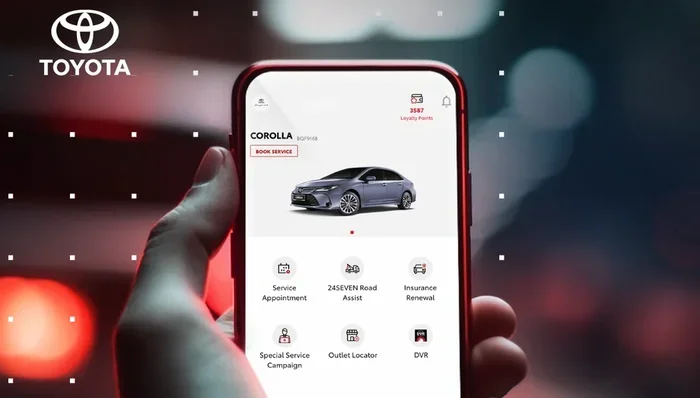
Does Toyota App Require a Subscription or Is It Free
The Toyota App offers both free and paid features. Basic functions like remote start and lock/unlock come at no cost, while Toyota Connected Services require a subscription for advanced features like navigation and diagnostics. You can use many core tools without paying a dime, but premium plans unlock the full Toyota digital experience.
Do you need to pay for the Toyota App? That is the question on a lot of Toyota owners minds right now. The short answer is no, not entirely. But the full answer is a bit more detailed than that. The Toyota App gives you access to a bunch of cool features, and many of them are completely free. However, if you want the really powerful tools, you will need a subscription.
In this article, we will break down everything you need to know about the Toyota App pricing. We will cover what is free, what costs money, and how to decide if a subscription is worth it for you. Whether you drive a Camry, a RAV4, or a brand new 2025 model, this guide has you covered.
The Toyota App connects your phone to your vehicle in ways that used to feel like science fiction. You can start your engine from across the parking lot. You can check your fuel level without walking to the car. And you can lock or unlock your doors with a single tap. These features make life easier, and the best part is that most of them do not cost a thing.
Key Takeaways
- Basic Toyota App features are free: Remote start, lock/unlock, and vehicle status checks cost nothing.
- Premium connected services require a subscription: Features like remote diagnostics and connected navigation come with a fee.
- Trial periods are common: Toyota often offers free trials for new vehicles, letting you test premium features first.
- Pricing varies by plan: Monthly and annual subscription options give you flexibility to choose what fits your budget.
- You can cancel anytime: There is no long-term contract lock-in for the Toyota connected services plan.
- Two people can share one Toyota App account: Multiple users can link to the same vehicle under certain conditions.
- Hybrid and EV owners get extra value: Some app features work especially well with Toyota hybrid and electric vehicles.
📑 Table of Contents
- What Is the Toyota App?
- Is the Toyota App Free to Use?
- Toyota App Subscription Plans and Pricing
- Can Two People Use the Toyota App for One Car?
- Remote Start and the Toyota App
- Does the Toyota App Work Without a Subscription?
- Should You Get a Toyota App Subscription?
- Common Mistakes Toyota App Users Make
- The Future of Toyota Connected Services
- Final Thoughts
What Is the Toyota App?
The Toyota App is a mobile application that lets you interact with your vehicle using your smartphone. It works with most Toyota models that have the connected services package. The app acts as a remote control for your car, giving you access to features that were once only available from inside the vehicle.
Toyota designed the app to make ownership simpler and more convenient. Instead of walking up to your car and fumbling with keys, you can handle many tasks from your phone. The app also sends you alerts about maintenance, recalls, and vehicle health. It is like having a digital assistant for your Toyota.
How Does the Toyota App Work?
The app connects to your vehicle through a built-in cellular module. This module talks to Toyota servers, which then communicate with your phone. You need a stable internet connection on your phone to use most features. Once you download the app and link it to your vehicle, you are ready to go.
Setting up the app is straightforward. You create an account, enter your vehicle identification number, and follow the prompts. The whole process takes about five minutes. After that, you can start exploring all the features available to you.
Is the Toyota App Free to Use?
Yes and no. The Toyota App itself is free to download and use. You do not pay anything just to have it on your phone. But certain features within the app require a paid subscription to Toyota Connected Services. Understanding this difference is key to knowing what you will actually spend.
Free Features You Get Right Away
There is a solid lineup of features that come at no cost. Here are some of the most popular free tools in the Toyota App:
- Remote start: Start your engine from your phone before you get in.
- Lock and unlock doors: Secure your vehicle with a tap on your screen.
- Vehicle status checks: See your fuel level, tire pressure, and oil life at a glance.
- Trip logging: The app tracks your trips automatically.
- Maintenance reminders: Get alerts when your car needs service.
- Vehicle location: Find your car in a crowded parking lot.
These features cover the basics and make daily driving more convenient. Most Toyota owners find that the free features alone are worth downloading the app.
Premium Features That Require a Subscription
The premium features are where things get more interesting. These tools go beyond basic convenience and offer deeper control over your vehicle. Here are the features that typically require a Toyota Connected Services subscription:
- Remote diagnostics: Get detailed reports about your vehicles health.
- Connected navigation: Use built-in maps and traffic data without your phone.
- Remote fuel hatch release: Open your fuel door from a distance.
- Destination sharing: Send directions directly to your vehicles navigation system.
- Vehicle usage reports: Track mileage, fuel economy, and driving habits over time.
These features are especially useful for people who rely on their Toyota for work or long commutes. The remote diagnostics alone can save you money by catching problems early.
Toyota App Subscription Plans and Pricing
Toyota offers different subscription tiers to fit various needs and budgets. The pricing can vary depending on your vehicle model and the region you live in. Let us take a closer look at what you can expect.
Monthly vs. Annual Plans
Most Toyota Connected Services subscriptions come in two flavors: monthly and annual. The annual plan usually offers a discount compared to paying month by month. Here is a general breakdown:
- Monthly plan: Typically ranges from $10 to $25 per month depending on the feature set.
- Annual plan: Usually costs between $100 and $250 per year, saving you money over the monthly option.
- Trial period: Many new Toyota vehicles come with a free trial of connected services, often lasting 1 to 3 years.
Keep in mind that these prices are approximate. Toyota updates its pricing from time to time, so it is always a good idea to check the current rates on the official Toyota website or in the app itself.
What Happens When Your Subscription Expires?
This is a common concern among Toyota owners. When your subscription ends, you lose access to the premium features. Your free features, like remote start and lock/unlock, remain available. You simply cannot use the advanced tools until you renew your subscription.
The good news is that you are not locked into a long-term contract. You can cancel your subscription at any time. There is no penalty for canceling early. This gives you full control over your spending.
Can Two People Use the Toyota App for One Car?
Yes, multiple people can use the Toyota App for the same vehicle. This is especially helpful for families who share a car. You can add additional users to your Toyota account, and each person can access the app features from their own phone.
The setup process is simple. The primary account holder goes into the app settings and invites a new user. The invited person receives a link to accept the connection. Once accepted, they can control the vehicle features just like the primary user.
However, there are some limitations. Only a certain number of users can be linked to one vehicle at a time. Toyota also recommends that all users have their own Toyota account for security reasons. This way, you can track who is using the app and when.
If you are interested in the specifics of sharing your Toyota App account, you can read more about how two people can use the Toyota App for one car on our site.
Remote Start and the Toyota App
Remote start is one of the most popular features of the Toyota App, and it is free to use. You can start your engine from up to 200 feet away. This is incredibly useful in cold weather when you want to warm up the car before driving. It also works in hot climates to cool down the interior before you get in.
To use remote start, you simply open the app, tap the remote start button, and wait a few seconds. The engine turns on, and the climate control adjusts to your preset temperature. You can set the duration of the remote start session, usually between 10 and 20 minutes.
One thing to keep in mind is that remote start requires your vehicle to be in park and the doors to be locked. These safety features prevent accidents and keep your car secure. The feature works over a cellular connection, so you do not need to be within Bluetooth range of your vehicle.
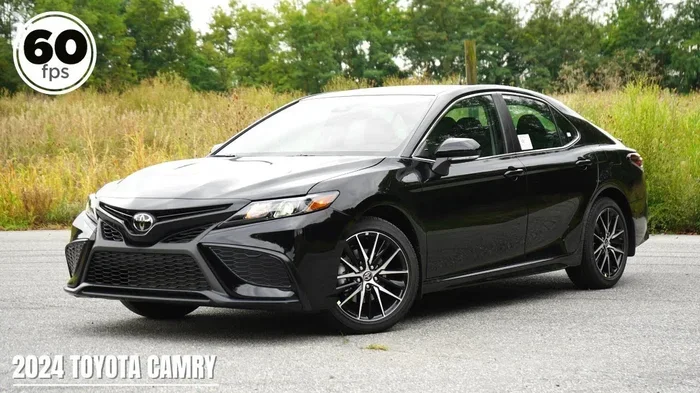
For owners of the 2025 Camry, remote start through the app is fully supported. You can even set up scheduled start times to have your car ready at a specific hour each day.
Does the Toyota App Work Without a Subscription?
Absolutely. The Toyota App functions fully without a subscription. You get access to all the core features that make daily life with your Toyota more convenient. Remote start, lock/unlock, vehicle status, and maintenance alerts all work without paying a dime.
The subscription only unlocks the premium tier of features. Think of it as a bonus package rather than a necessity. Many Toyota owners never subscribe and still get excellent value from the free features alone.
If you are on the fence about subscribing, try the free version first. Use the app for a few weeks and see which features you actually use. This will help you decide if the premium features are worth the cost for your lifestyle.
Quick Tips for Using the Toyota App Without a Subscription
- Turn on notifications so you never miss a maintenance alert.
- Use the trip logging feature to track your fuel economy over time.
- Check your tire pressure weekly through the app to improve gas mileage.
- Set a reminder in the app for your next oil change.
- Share the app access with a family member for added convenience.
Should You Get a Toyota App Subscription?
Whether a subscription is worth it depends on how you use your vehicle and what features matter most to you. Let us look at some scenarios to help you decide.
Who Benefits Most from a Subscription?
- Long-distance commuters: Remote diagnostics and connected navigation save time and reduce stress on long drives.
- Fleet managers: Vehicle usage reports help track costs and maintenance schedules across multiple vehicles.
- Tech enthusiasts: If you love having the latest connected features, a subscription keeps you up to date.
- Hybrid and EV owners: Some app features integrate especially well with hybrid and electric Toyota models.
Who Might Skip the Subscription?
- Short-distance drivers: If you mostly drive locally, the free features cover your needs just fine.
- Budget-conscious owners: The free version already provides excellent value without any ongoing cost.
- Minimal tech users: If you prefer simplicity, the basic app features are all you need.
Think about your daily driving habits and what would genuinely make your life easier. That is the best guide for deciding whether to subscribe.
Common Mistakes Toyota App Users Make
Even though the Toyota App is user-friendly, some people run into common issues. Here are a few mistakes to avoid:
- Forgetting to keep the app updated: Updates fix bugs and add new features. Check for updates regularly in your app store.
- Not linking the app to your vehicle properly: Double-check your vehicle identification number during setup to avoid connection issues.
- Ignoring subscription renewal dates: If you are on a trial, set a reminder so you know when it ends and what features you will lose.
- Using the app without a stable internet connection: The app relies on cellular data. Weak signals can cause delays or failed commands.
- Assuming all features work on all models: Some features are only available on certain Toyota models or trim levels. Check compatibility before subscribing.
Avoiding these pitfalls will give you a smoother experience with the Toyota App and help you get the most out of every feature.
The Future of Toyota Connected Services
Toyota continues to invest in its connected services ecosystem. New features are being added regularly, and the app is becoming more powerful with each update. The company is also expanding its support for electric and hybrid vehicles, which brings new app capabilities into the picture.
Future updates may include enhanced AI-powered diagnostics, deeper integration with smart home devices, and even more seamless remote control options. Toyota is clearly committed to making its app a central part of the driving experience.
If you are considering a new Toyota purchase, the connected services package is worth factoring into your decision. The combination of free and premium features gives you flexibility, and the subscription model lets you scale up as your needs grow.
Final Thoughts
So, does the Toyota App require a subscription? The answer is that it depends on which features you want. The core functionality is completely free, and you can enjoy remote start, lock/unlock, and vehicle status checks without spending a penny. Premium features like remote diagnostics and connected navigation do require a paid Toyota Connected Services subscription, but you are never forced into one.
The Toyota App strikes a nice balance between free and paid tools. You get plenty of value without paying anything, and the option to upgrade is always there when you need it. Whether you are a casual driver or a tech-savvy enthusiast, the Toyota App has something to offer you.
Take some time to explore the app, try out the free features, and decide for yourself if a subscription makes sense. With no long-term commitment and a generous free tier, there is really nothing to lose by giving it a try.
Frequently Asked Questions
Is the Toyota App completely free?
The app itself is free to download and use. Many core features like remote start, lock/unlock, and vehicle status checks cost nothing. However, premium features such as remote diagnostics and connected navigation require a paid Toyota Connected Services subscription.
How much does a Toyota App subscription cost?
Pricing varies by plan and region. Monthly plans typically range from $10 to $25, while annual plans usually cost between $100 and $250. New Toyota vehicles often come with a free trial period that can last one to three years, so check your specific vehicle for details.
Can I use the Toyota App without a subscription?
Yes, you can use the Toyota App fully without a subscription. All the basic features work without any paid plan. You only need a subscription if you want access to the premium connected services features.
What happens when my Toyota App subscription expires?
When your subscription ends, you lose access to the premium features like remote diagnostics and connected navigation. Your free features, including remote start and lock/unlock, remain fully functional. You can renew anytime or cancel without any penalty.
Can I share my Toyota App account with another person?
Yes, you can add additional users to your Toyota App account. This is great for families who share a vehicle. Each person can access the app from their own phone and control the vehicle features. Check our guide on how two people can use the Toyota App for one car for more details.
Does the Toyota App work with hybrid vehicles?
Yes, the Toyota App works with hybrid vehicles and offers some features that are especially useful for hybrid owners. You can monitor battery status, track fuel economy, and get maintenance alerts specific to hybrid systems. The app also integrates well with Toyota hybrid and electric models like the BZ4X.