Does Toyota Have Built-In Wi-Fi What You Need to Know
Yes, Toyota offers built-in Wi-Fi on many of its newer models through the Toyota Entune system and Toyota connected services. This feature turns your vehicle into a Wi-Fi hotspot, keeping passengers connected on the road. In this guide, we cover which Toyota models include Wi-Fi, how much it costs, how the Toyota connectivity features work, and tips for getting the most out of your car’s mobile hotspot.
Does Toyota have built-in Wi-Fi? The short answer is yes. Many Toyota vehicles now come with a built-in Wi-Fi hotspot that lets you and your passengers stay connected while on the road. Whether you are on a long road trip, commuting to work, or running errands around town, having internet access in your car can make a big difference.
The Toyota Wi-Fi hotspot is part of the Toyota Entune infotainment system. This system has been a staple in Toyota vehicles for years, and the Wi-Fi feature has become one of the most popular Toyota connectivity features. But how exactly does it work? Which models have it? And what does it cost? Keep reading to find out everything you need to know about built-in Wi-Fi in cars from Toyota.
If you are considering a new Toyota or already own one, understanding the Wi-Fi capabilities of your vehicle is important. This guide covers all the details, from setup to costs, so you can decide if Toyota’s car Wi-Fi hotspot is worth it for your lifestyle.
Key Takeaways
- Built-In Wi-Fi Is Available: Many Toyota models come with a Wi-Fi hotspot as part of the Toyota Entune infotainment system.
- Free Plans Exist: Toyota offers complimentary Wi-Fi plans for a limited time, and some models include free connectivity for a set number of years.
- Subscription Options Available: After the free trial ends, you can choose from different Wi-Fi subscription Toyota plans based on your data needs.
- Not Every Model Has It: Wi-Fi availability depends on the trim level, model year, and whether the vehicle has the Toyota infotainment system with connectivity features.
- Multiple Devices Can Connect: The car Wi-Fi hotspot can support several devices at once, making it great for families and road trips.
- Related Tech Features: Toyota’s connected services also include features like remote start, phone-based unlocking, and stolen vehicle tracking through the Toyota app.
📑 Table of Contents
- What Is Toyota Built-In Wi-Fi?
- Which Toyota Models Offer Built-In Wi-Fi?
- How Much Does Toyota Wi-Fi Cost?
- Toyota Wi-Fi vs. Mobile Hotspot: Which Is Better?
- How to Set Up and Use Toyota Wi-Fi
- Toyota Connected Services Beyond Wi-Fi
- Common Mistakes to Avoid With Toyota Wi-Fi
- Final Thoughts on Toyota Built-In Wi-Fi
What Is Toyota Built-In Wi-Fi?
Toyota built-in Wi-Fi is a feature that turns your vehicle into a mobile hotspot. It uses a built-in cellular connection to provide internet access to devices inside the car. This means you can connect your phone, tablet, laptop, or any other Wi-Fi-enabled device to the internet while you drive.
The system works through the Toyota Entune infotainment platform. Entune is Toyota’s proprietary system that handles audio, navigation, and connectivity. When you activate the Wi-Fi feature, the car uses a dedicated Wi-Fi router in car hardware to broadcast a signal that nearby devices can pick up.
How Does the Wi-Fi Hotspot Work in a Toyota?
The Wi-Fi router in car hardware is built into the vehicle’s infotainment system. It creates a local network inside the car that your devices can connect to. The car itself connects to the internet through a cellular network, similar to how your phone gets data.
Here is how the process works step by step:
- The vehicle connects to a cellular network using its built-in modem.
- The Toyota infotainment system creates a local Wi-Fi network inside the car.
- You connect your devices to this network just like you would connect to any other Wi-Fi signal.
- Your devices now have internet access through the car’s cellular connection.
The Toyota Wi-Fi speed depends on the cellular network available in your area. In areas with strong 4G LTE coverage, you can expect decent speeds for browsing, streaming, and video calls. In areas with weak coverage, the connection may be slower or drop entirely.
Which Toyota Models Offer Built-In Wi-Fi?
Not every Toyota model comes with built-in Wi-Fi, and even among those that do, availability often depends on the trim level and model year. Here is a closer look at which Toyota vehicles are most likely to include this feature.
Toyota Models with Wi-Fi Hotspot
The most popular Toyota models that offer Wi-Fi in Toyota Camry and other vehicles include:
- Toyota Camry: The Camry, especially higher trims, often includes the Entune system with Wi-Fi capability. It is one of the most popular sedans in the Toyota lineup.
- Toyota RAV4: The RAV4 SUV is another model that frequently offers built-in Wi-Fi, making it a great choice for families who need connectivity on the go.
- Toyota Highlander: This larger SUV often comes with the full Entune package, including Wi-Fi hotspot features.
- Toyota Sienna: The minivan is a natural choice for families, and Wi-Fi connectivity adds a lot of value for long trips with kids.
- Toyota Tacoma: Some trims of the Tacoma pickup truck offer Wi-Fi connectivity through the Entune system.
- Toyota Tundra: The full-size truck also offers Wi-Fi on select trims with the upgraded infotainment system.
Always check the specific trim and model year when shopping for a Toyota with Wi-Fi. Lower trims may not include the connectivity package, even on models that offer it on higher trims.
How to Check if Your Toyota Has Wi-Fi
If you already own a Toyota and want to know if it has built-in Wi-Fi, here are a few ways to find out:
- Check your owner’s manual for references to Entune, Wi-Fi, or connectivity features.
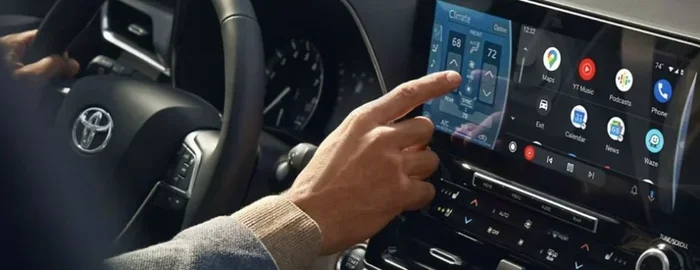
- Look at your infotainment screen for a Wi-Fi or hotspot icon in the settings menu.
- Contact your local Toyota dealer and provide your VIN. They can look up your vehicle’s features.
- Check the Toyota website and enter your model and year to see the standard and available features.
How Much Does Toyota Wi-Fi Cost?
The Toyota Wi-Fi cost is one of the most common questions people ask. The answer depends on whether you are looking at the initial setup or ongoing subscription costs.
Free Trial Periods
Many Toyota models come with a complimentary Wi-Fi subscription Toyota trial period. This is typically a free period that lasts for a set number of months or years after purchase. During this time, you can use the Wi-Fi hotspot without paying anything extra.
The length of the free trial varies by model and year. Some Toyota vehicles offer free Wi-Fi for one year, while others may provide connectivity for up to three years. After the trial period ends, you will need to subscribe to a paid plan if you want to keep using the feature.
Paid Subscription Plans
Once the free trial ends, Toyota offers paid subscription plans for continued Wi-Fi access. These plans typically come in tiers based on data allowance and duration:
- Monthly Plans: These plans renew every month and give you a set amount of data each month.
- Annual Plans: Paying for a full year upfront often comes with a discount compared to monthly payments.
- Data Allowances: Plans may offer different amounts of data, from basic browsing to heavier usage for streaming and downloads.
The exact pricing varies, so it is best to check with your Toyota dealer or visit the Toyota website for the most current Wi-Fi subscription Toyota pricing. Keep in mind that the cost is separate from your phone plan and any other connected services you may have.
Toyota Wi-Fi vs. Mobile Hotspot: Which Is Better?
Many people wonder whether they should use their Toyota’s built-in Wi-Fi or simply rely on their phone’s mobile hotspot. Both options have pros and cons, and the right choice depends on your needs.
Pros of Toyota Built-In Wi-Fi
- Dedicated Connection: The car’s Wi-Fi operates on its own cellular connection, so it does not use your phone’s data plan.
- Built-In Hardware: The Wi-Fi router in car is designed to work seamlessly with the Toyota infotainment system.
- Multiple Device Support: The car Wi-Fi hotspot can typically support several devices at once without draining your phone battery.
- No Phone Required: You do not need to keep your phone plugged in or nearby to share a hotspot.
Pros of Using Your Phone as a Hotspot
- No Extra Cost: You already pay for your phone’s data plan, so there is no additional subscription fee.
- Portability: Your phone hotspot works everywhere, not just in your Toyota.
- No Subscription Management: You do not need to track renewal dates or manage a separate Wi-Fi plan.
Which Option Should You Choose?
If you frequently travel with multiple passengers who need internet access, or if you take long road trips regularly, Toyota’s built-in Wi-Fi is a great investment. It takes the burden off your phone and provides a more reliable connection for everyone in the car.
On the other hand, if you only need occasional internet access and do not want an extra monthly bill, using your phone as a hotspot may be the simpler choice.
How to Set Up and Use Toyota Wi-Fi
Setting up the Wi-Fi hotspot in your Toyota is straightforward. Here is a simple guide to get you started.
Step-by-Step Setup
- Start your vehicle and turn on the infotainment system.
- Navigate to the settings menu on the infotainment screen.
- Look for the Wi-Fi or Network settings option.
- Enable the Wi-Fi hotspot feature. You may need to activate it through the Toyota connected services app first.
- Set a network name and password for your hotspot.
- Connect your devices to the new Wi-Fi network using the password you created.
Once connected, your devices should have internet access right away. The Toyota Wi-Fi speed will depend on the cellular signal strength in your area.
Tips for Getting the Best Performance
To get the most out of your Toyota’s Wi-Fi hotspot, follow these practical tips:
- Park in areas with good cellular coverage for the strongest signal.
- Limit the number of connected devices to maintain faster speeds.
- Keep your vehicle’s software updated through the infotainment system for the best performance.
- Monitor your data usage to avoid exceeding your plan’s limits.
- Turn off the hotspot when not in use to conserve data and battery power.
Toyota Connected Services Beyond Wi-Fi
Toyota’s connected services go well beyond just Wi-Fi. The Toyota app and Entune system offer a range of features that make owning a Toyota more convenient and connected.
Remote Features Through the Toyota App
With the Toyota app installed on your phone, you can access several remote features for your vehicle. For example, you can unlock your Toyota with your phone using the app’s digital key feature. This is especially handy when your hands are full or you have misplaced your key fob.
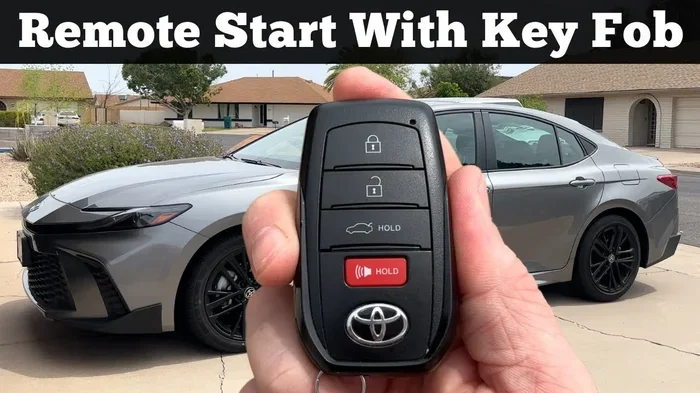
Another great feature is remote start. You can start your Toyota remotely through the app, which is perfect for warming up or cooling down your car before you get in. Some Toyota models also allow you to check your vehicle’s status, including fuel level, tire pressure, and maintenance reminders.
Safety and Security Features
Toyota’s connected services also include safety features. One notable feature is the ability for Toyota to track your car if stolen. This feature uses the vehicle’s built-in GPS and cellular connection to help locate a stolen Toyota. It is one of the many reasons why Toyota’s connectivity package is valuable beyond just internet access.
Another useful feature is that two people can use the Toyota app for one car. This means multiple family members can manage and monitor the same vehicle through their own phones, which is great for households with shared vehicles.
These connected services work hand in hand with the Wi-Fi feature. The Toyota Wi-Fi hotspot provides the connectivity that makes all these features possible, creating a comprehensive connected experience for Toyota owners.
Common Mistakes to Avoid With Toyota Wi-Fi
Even though Toyota’s Wi-Fi system is user-friendly, there are a few common mistakes that can cause frustration. Here is what to watch out for.
- Forgetting to renew your subscription: If you are on a paid plan, set a reminder to renew before it expires so you do not lose connectivity unexpectedly.
- Ignoring software updates: Keeping your infotainment system updated ensures the best performance and security for your Wi-Fi hotspot.
- Not setting a strong password: Just like with home Wi-Fi, set a password for your car’s hotspot to prevent unauthorized users from connecting and using your data.
- Using the hotspot for heavy downloads: The Toyota Wi-Fi speed is not designed for large downloads or heavy streaming. Stick to lighter tasks like browsing and messaging.
- Assuming all models have Wi-Fi: Always verify before purchasing that the specific trim and model year you are buying includes the Wi-Fi hotspot feature.
Final Thoughts on Toyota Built-In Wi-Fi
Toyota’s built-in Wi-Fi is a practical and convenient feature for many drivers and families. The Toyota Wi-Fi hotspot turns your vehicle into a connected hub, keeping everyone online during long drives, daily commutes, and road trips. With a range of Toyota models offering this feature, from the Wi-Fi in Toyota Camry to the family-friendly RAV4 and Highlander, there are plenty of options to choose from.
The Toyota connectivity features extend well beyond just internet access. From remote start and phone-based unlocking to stolen vehicle tracking, Toyota’s connected services ecosystem adds real value to your ownership experience. The fact that two people can use the Toyota app for one car and that Toyota can track your car if stolen makes the connectivity package even more compelling.
If you are in the market for a new Toyota or want to make the most of your current one, the built-in Wi-Fi feature is definitely worth considering. Just remember to check which models and trims include it, understand the Toyota Wi-Fi cost and subscription options, and follow the setup tips outlined in this guide. With the right approach, you can stay connected on the road without relying on your phone’s hotspot.
Frequently Asked Questions
Does every Toyota model have built-in Wi-Fi?
No, not every Toyota model comes with built-in Wi-Fi. Availability depends on the model, trim level, and model year. Higher trims on popular models like the Camry, RAV4, and Highlander are more likely to include Wi-Fi as part of the Entune infotainment package.
How long is the free Wi-Fi trial on a Toyota?
The free trial period varies by model and year. Some Toyota vehicles offer complimentary Wi-Fi for one year, while others may provide free connectivity for up to three years. Check with your dealer or the Toyota website for specific details on your model.
Can I use Toyota Wi-Fi for streaming video?
Yes, but with limitations. The Toyota Wi-Fi speed is suitable for light browsing and occasional streaming. For extended video streaming, you may experience slower speeds or data cap issues depending on your subscription plan.
Does Toyota Wi-Fi work when the car is turned off?
In most cases, the Toyota Wi-Fi hotspot works even when the engine is off, as long as the vehicle has a sufficient battery charge. This is useful for parking situations where you need internet access but are not driving.
How many devices can connect to Toyota Wi-Fi at once?
Toyota’s built-in Wi-Fi hotspot can typically support multiple devices at once, often around five to seven devices depending on the model and system. This makes it great for families traveling together.
Can I add Wi-Fi to a Toyota that does not have it built in?
Unfortunately, Toyota’s built-in Wi-Fi is integrated into the Entune infotainment system and cannot be easily added after purchase. Your best option is to use your phone as a mobile hotspot or consider an aftermarket vehicle Wi-Fi device that plugs into your car’s OBD port.