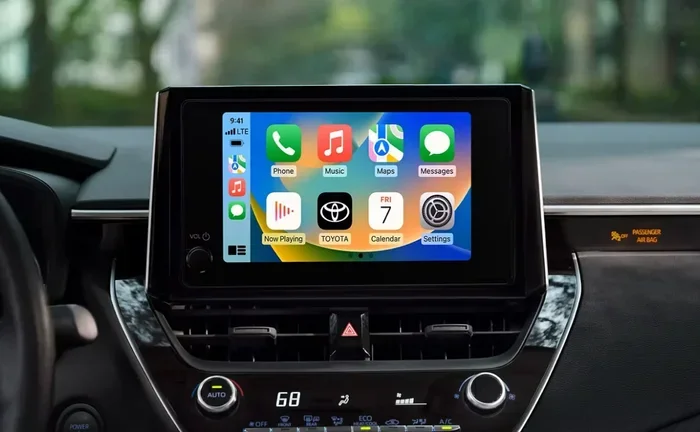
Does Toyota Come With a Navigation System Included
Not every Toyota comes with a navigation system included. Some Toyota models offer built-in GPS navigation as standard, while others only include it in higher trims or as an optional add-on. This guide breaks down exactly which Toyota vehicles include navigation, what features come with it, and how you can add a navigation system if your model doesn’t have one.
Key Takeaways
- Toyota offers navigation in many models: Popular Toyota vehicles like the RAV4, Camry, and Highlander include navigation in select trims.
- Navigation is often optional: Many Toyota models only include a GPS system in upper trim levels or as part of a technology package.
- Toyota Entune is the standard infotainment platform: It includes basic map features, but full navigation requires a specific package.
- Aftermarket navigation is a great alternative: You can add a navigation system through aftermarket head units or smartphone apps.
- Built-in navigation has perks: Features like voice recognition, map updates, and integrated controls make factory systems convenient.
- Always check the trim before buying: The best way to confirm navigation availability is to review the specific trim level and package details.
Does Toyota Come With a Navigation System Included?
If you are shopping for a new Toyota, you might be wondering whether a navigation system comes standard. The short answer is: it depends on the model and the trim. Some Toyota vehicles include a built-in GPS navigation system right out of the dealership. Others leave it up to you to choose an upgrade package. And a few Toyota models simply do not offer factory navigation at all.
Understanding how Toyota handles its infotainment and navigation features can save you time and money. You will know exactly what to look for when comparing trims. You will also learn how to add navigation if your Toyota does not include it from the factory. Let us walk through everything you need to know about Toyota navigation systems in 2024 and beyond.
What Toyota Models Offer Navigation?
Toyota offers navigation on a wide range of models. However, the availability changes from one vehicle to the next. Here is a quick look at some popular Toyota models and their navigation options.
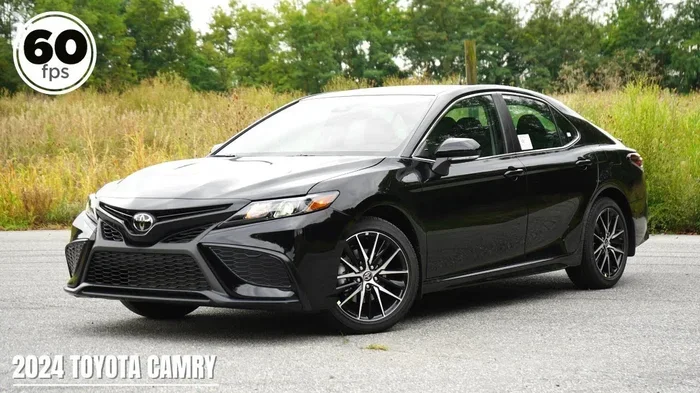
- Toyota Camry: Navigation is available on higher trims like the XLE and XSE. The base LE trim does not include it.
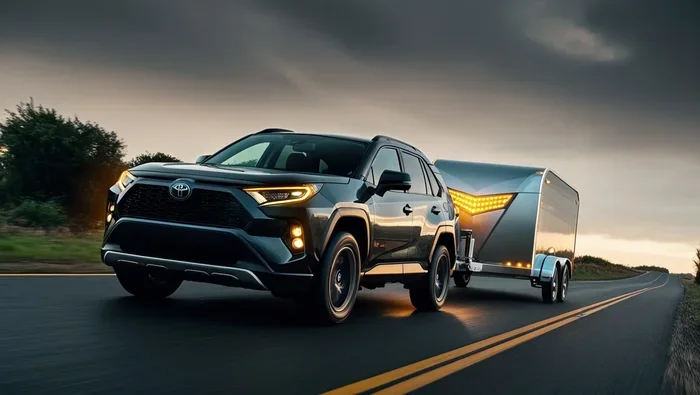
- Toyota RAV4: The RAV4 offers navigation on the XLE and Limited trims. The base LE and SE trims come with a basic infotainment screen instead.
- Toyota Highlander: Most Highlander trims above the base L include a navigation system as standard or optional.
- Toyota Corolla: The Corolla offers a touchscreen infotainment system but does not always include full navigation. It depends on the trim.
- Toyota Tacoma: Navigation is available on select trims, especially the Limited and TRD Pro versions.
- Toyota 4Runner: The 4Runner includes navigation on higher-end trims like the Limited and TRD Pro.
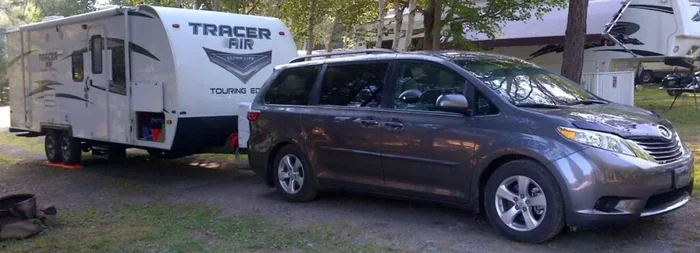
- Toyota Sienna: The minivan offers navigation on most trims above the base LE.
As you can see, Toyota navigation is widely available but rarely standard across the entire lineup. The general rule is that base trims give you a basic audio system, while upper trims add GPS capability. Always confirm the exact features for the trim you are considering.
Understanding Toyota Infotainment Systems
Toyota uses its own infotainment platform called Toyota Entune. This system serves as the brain behind the touchscreen display in most Toyota vehicles. But not all Entune systems are created equal.
The base Entune system gives you radio, Bluetooth connectivity, and a few app integrations. It does not include full GPS navigation. To get a navigation system, you typically need the Entune Audio Plus or Entune 3.0 package. These upgraded systems include a larger touchscreen, map software, and turn-by-turn directions.
Here is a simple breakdown of the different Entune levels:
- Entune 3.0: The latest system. It includes a larger display, wireless Apple CarPlay and Android Auto, and optional navigation.
- Entune Audio Plus: Adds a better audio system and may include navigation depending on the trim.
- Entune Audio: The base system. It includes basic features but no full GPS navigation.
Some newer Toyota models have moved beyond Entune entirely. They use a more modern infotainment setup with a larger screen and smoother controls. These newer systems are more likely to include navigation as standard in mid-level trims.
How to Check if Your Toyota Has Navigation
If you already own a Toyota and want to know whether it has a navigation system, there are a few easy ways to find out.
First, look at your center console. If you see a large touchscreen display (usually 7 inches or larger), there is a good chance it has navigation. If your screen is small and only shows radio bands and a few buttons, you likely have the base audio system.
Second, check your vehicle’s owner manual. The manual will list all the features included with your specific trim. Look for sections about “Infotainment” or “Navigation System.”
Third, you can check your vehicle identification number (VIN). Contact your local Toyota dealer and provide them with your VIN. They can pull up the exact factory options and confirm whether navigation was included when your car was built.
Also, if your Toyota has a voice recognition system that can guide you to destinations, that is a strong sign you have navigation. Try saying “Navigate to” followed by a location. If the system responds with directions, you have a GPS system installed.
Can You Add Navigation to a Toyota That Doesn’t Have It?
Yes, you can absolutely add navigation to a Toyota that does not come with it from the factory. There are several ways to do this, and each has its own advantages.
Aftermarket Navigation Head Unit: This is the most popular option. You can replace your factory radio with an aftermarket head unit that includes GPS navigation. Brands like Pioneer, Kenwood, and Alpine make excellent units that fit most Toyota models. These head units often include Bluetooth, backup cameras, and smartphone integration too.
Smartphone Navigation Apps: If you do not want to replace your head unit, you can simply use your smartphone. Apps like Google Maps, Apple Maps, and Waze work great. You can mount your phone on the dashboard or windshield and follow directions just like a built-in system. This is a free and easy solution.
Portable GPS Devices: Devices from Garmin and TomTom still work well. You just place them on your dashboard or dash mount, and they provide full navigation. The downside is that they take up space and need to be charged separately.
Each option has trade-offs. An aftermarket head unit gives you a clean, integrated look. Smartphone apps are free and always up to date. Portable GPS devices are simple and reliable. Choose the one that fits your budget and needs best.
One thing to keep in mind: if you go the aftermarket route, make sure the unit is compatible with your Toyota model. Some vehicles require specific wiring harnesses or dash kits. You can find these at most auto parts stores or online. If you are not comfortable with installation, a local car audio shop can handle the job for you.
Pros and Cons of Factory Toyota Navigation
Factory-installed Toyota navigation has its benefits. But it also comes with a few downsides. Here is a balanced look at both sides.
Pros of Factory Navigation
- Seamless integration: The system works with your car’s existing controls, display, and audio system.
- Voice commands: Factory systems often include voice recognition for hands-free operation.
- Map updates: Toyota provides map update services, though some may cost extra.
- No extra mounts: Everything is built into the dash, so your view stays clean and unobstructed.
- Resale value: Factory navigation can make your Toyota more appealing to used car buyers.
Cons of Factory Navigation
- Cost: Adding navigation to a base trim can add $1,000 to $2,000 to the purchase price.
- Outdated maps: Factory maps may not update as frequently as smartphone apps.
- Slower software: Some older Toyota infotainment systems can feel sluggish compared to modern tablets and phones.
- Limited app support: Factory systems may not support as many apps as your smartphone.
For many drivers, the convenience of factory navigation is worth the extra cost. But if you already rely on your phone for directions, you might find that a smartphone mount and a good data plan do the trick just fine.
Toyota Navigation vs. Smartphone Navigation
It is fair to compare factory navigation with smartphone navigation. Both get you from point A to point B. But they work differently and offer different experiences.
Smartphone navigation apps like Google Maps tend to have more up-to-date traffic data and points of interest. They also learn your preferences over time. Factory Toyota navigation systems are more integrated and do not rely on your phone’s signal or battery. They also tend to have better voice recognition that works without holding your phone.
One thing you should know: Toyota has been improving its tech over the years. Newer models now support wireless Apple CarPlay and Android Auto. This means you can mirror your phone’s navigation app directly onto your Toyota’s touchscreen. It gives you the best of both worlds.
If you want the latest in navigation technology, consider a Toyota model that comes with the newest infotainment system. These systems support real-time traffic updates, fuel station finding, and even weather alerts. You can also change the voice on Toyota navigation to make the experience feel more personal and natural.
Tips for Getting the Most Out of Your Toyota Navigation System
If your Toyota does come with navigation, here are some tips to help you use it effectively.
- Keep your maps updated: Outdated maps can lead to wrong turns. Check with your Toyota dealer for map update services. Some models even allow over-the-air updates.
- Use voice commands: Press the voice button on your steering wheel and say “Navigate to” followed by a destination. This keeps your eyes on the road.
- Save frequent destinations: Most Toyota navigation systems let you save home, work, and other regular stops. This makes daily driving much more convenient.
- Explore points of interest: The system can find gas stations, restaurants, and hotels along your route.
- Adjust the display brightness: In bright sunlight, turn up the brightness so the map is easy to read. At night, lower it to avoid glare.
- Pair your phone for hands-free calling: Even if you use your phone for navigation, pair it with the car’s Bluetooth for calls and music.
These simple tips will make your Toyota navigation system much more useful in everyday driving. Whether you use it for commuting or road trips, a little setup goes a long way.
Common Mistakes to Avoid
Here are a few common mistakes Toyota owners make with their navigation systems.
- Assuming all trims include navigation: Always double-check the trim level and package details before buying.
- Ignoring map updates: Old maps can cause routing errors. Update them at least once a year.
- Relying solely on factory navigation in remote areas: In areas with poor cell service, factory navigation may not have real-time traffic data. Download offline maps on your phone as a backup.
- Not learning the voice commands: Many owners never explore the full voice command features. Take a few minutes to learn what your system can do.
- Overloading the system with too many destinations: This can slow down the system. Keep your saved locations organized.
Avoiding these mistakes will keep your navigation system running smoothly for years to come.
What About Older Toyota Models?
If you drive an older Toyota, you might not have access to modern navigation features. Many Toyotas from 2010 to 2017 came with basic CD players and small screens. They did not include GPS navigation unless you paid for a premium package.
The good news is that you can still add navigation to older models. Aftermarket head units are widely available and easy to install. Many of these units are designed to fit factory dash openings, so they look clean and professional. You can also add a portable GPS device if you prefer a non-permanent solution.
For older Toyota owners, the best approach is to use a smartphone with a navigation app. It is free, always current, and gives you access to live traffic data. Simply mount your phone in a safe location and follow the directions.
Final Thoughts on Toyota Navigation
So, does Toyota come with a navigation system included? The answer is that it varies by model and trim. Some Toyotas offer full GPS navigation as standard, while others make it an optional upgrade. And some base trims do not include it at all.
If navigation is important to you, take the time to research the specific trim you are interested in. Check the features list, read the owner manual, or ask your Toyota dealer directly. You will avoid surprises and get exactly what you need.
And remember, even if your Toyota does not have factory navigation, you have plenty of options. Aftermarket head units, smartphone apps, and portable GPS devices can all fill the gap. The key is finding the solution that works best for your driving style and budget.
Toyota builds reliable and well-equipped vehicles. Whether you choose a model with built-in navigation or add one yourself, you will have no trouble finding your way. Toyota navigation is a valuable feature that makes every drive more comfortable and stress-free.
Frequently Asked Questions
Which Toyota models come with navigation as standard?
Higher trims of popular Toyota models like the Camry XLE, RAV4 XLE, Highlander XLE, and Sienna typically include navigation as standard. Always check the specific trim level before purchasing to confirm.
Can I add navigation to any Toyota model?
Yes, you can add navigation to almost any Toyota model. Aftermarket head units and smartphone apps are the most popular and affordable options. Portable GPS devices are another simple alternative.
How much does it cost to add navigation to a Toyota?
Factory navigation can add $1,000 to $2,000 to the purchase price. Aftermarket head units range from $200 to $800 depending on the brand and features. Smartphone apps are completely free.
Does Toyota provide map updates for the navigation system?
Yes, Toyota offers map update services for factory navigation systems. You can visit a Toyota dealer or check your owner manual for instructions on how to update your maps.
Is Toyota Entune the same as a navigation system?
No, Toyota Entune is the infotainment platform. It includes basic features like radio and Bluetooth. Navigation is an additional feature that requires a specific Entune package or trim level.
Can I use my phone for navigation if my Toyota has a built-in system?
Absolutely. Most newer Toyota models support wireless Apple CarPlay and Android Auto. This lets you mirror your phone’s navigation app on the car’s screen while still using the built-in system for other features.